Best AI robotics kit in 2026: mBot2 or Bittle X?
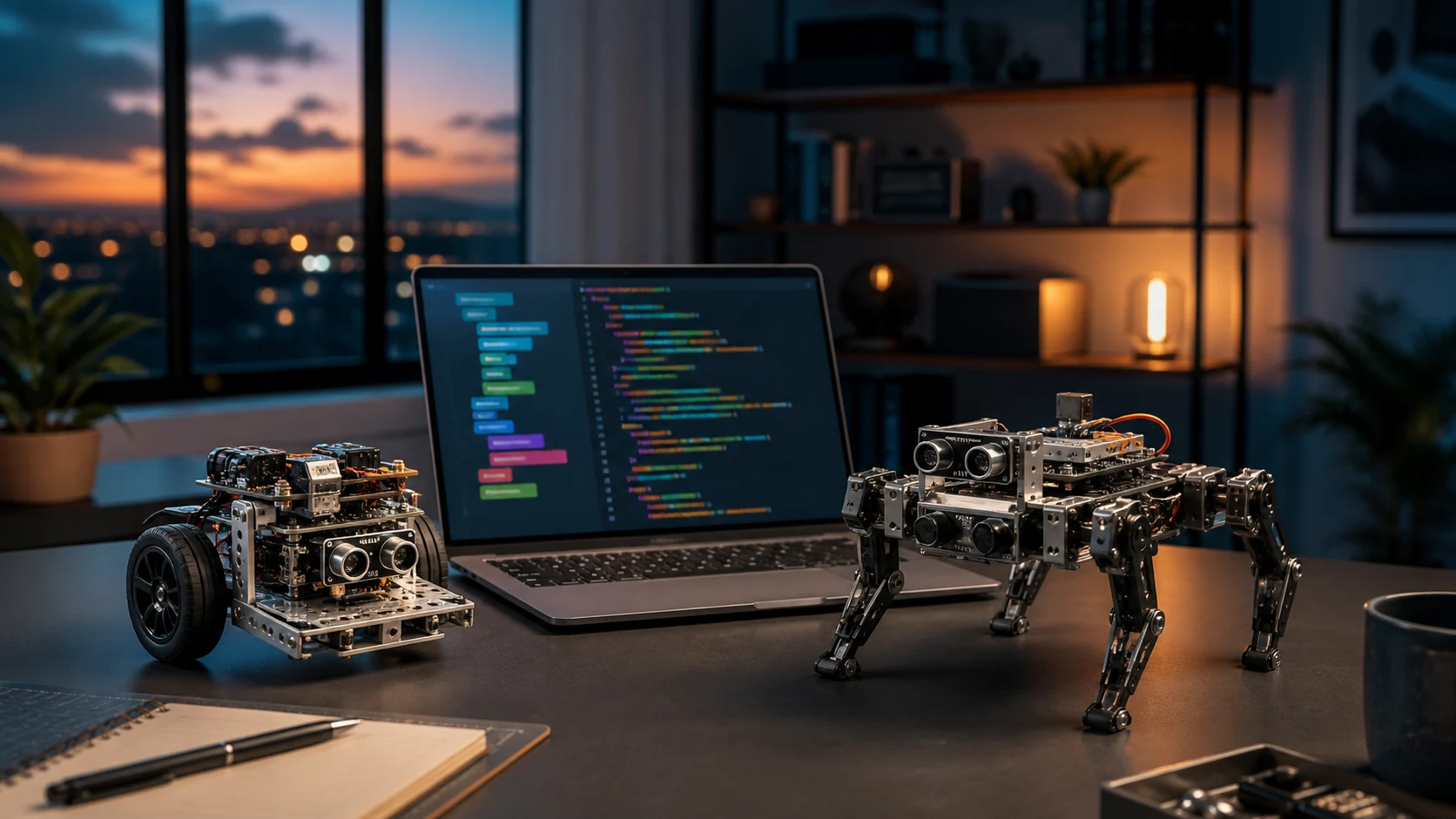
Buy mBot2 if you want a first project that progresses from blocks to Python without turning setup into the whole lesson. Choose Bittle X V2 if your real goal is quadruped locomotion, mechanics and an open platform for harder experiments. One is a guided educational rover; the other is a more demanding and mechanically revealing robot dog.
This comparison does not reward the robot that looks most impressive in a short video. It asks which one you will still be programming after the discovery weekend.
The 30-second decision
| Priority | Better fit | Reason |
|---|---|---|
| First programmable robot | mBot2 | blocks and Python in one environment |
| Family project from age eight | mBot2 | simpler assembly and guided activities |
| Learn four-legged locomotion | Bittle X V2 | nine joints and real calibration |
| Arduino, Python, ROS or camera expansion | Bittle X V2 | open maker-oriented platform |
| Multi-robot school club | mBot2 | wireless communication and group projects |
| Expressive machine to modify | Bittle X V2 | 35-plus advertised movements and voice commands |
The meaningful budget is not merely the checkout price. Add available time, tolerance for calibration, compatible computer, future modules and the person who will help when the program does not run.
Why mBot2 is the clearer first purchase
Makeblock presents mBot2 as a buildable coding robot for learners aged eight and above. Its CyberPi controller, encoded motors, ultrasonic and line sensors, and wireless links provide a usable system out of the box. Its strongest feature is not a single “AI” trick; it is continuity between assembly, remote control, block programming and Python.
mBlock lets learners start visually and move toward text code without abandoning the same ecosystem. For families and schools, that transition lowers the risk of the robot remaining a remote-controlled toy. Makeblock also publishes lessons and projects, although buyers should check language, level and access requirements before ordering.
mBot2 is not a miniature humanoid or a general-purpose AI computer. Recognition demonstrations may use software services, a network connection or optional modules. Ask whether the selected activity runs locally, requires an account and sends image or audio data away from the computer.
Why Bittle X V2 teaches more mechanics
Petoi describes Bittle X V2 as an open-source robot dog powered by an ESP32 board with Wi-Fi, Bluetooth and voice control. Its nine joints can walk, recover and perform more than 35 prepared movements. It supports Python, C++ and Petoi Coding Blocks, with documented routes toward Raspberry Pi, ROS/ROS 2 and Jetson-based projects.
That flexibility introduces real friction. A gait is not a screen animation: builders have to assemble or inspect parts, calibrate servos, understand grip and accept that a different floor changes the motion. Petoi's documentation notes that even the pre-assembled version needs fine calibration.
This is exactly why Bittle can be valuable for an advanced teenager, makerspace or university module. Learners see the relationship between code, centre of gravity, torque, battery and mechanism. It is a poor gift, however, for someone who only wants an autonomous companion.
“AI” means different things on each platform
On mBot2, AI is primarily a learning pathway: recognise an image or sound, connect perception to an action and understand how a model is used. The educational sequence matters more than claims of household-level autonomy.
On Bittle X, ambitious AI projects generally appear after adding compute and sensors. Its controller handles locomotion, commands and embedded projects, while heavier vision normally requires a camera and companion computer. That is closer to a laboratory architecture—with more configuration, cables and potential cost.
Our Jetson Orin Nano 2 analysis explains why TOPS do not replace sensors or safety. Microduck shows another open learning-robot direction, but one that is less immediate for a first purchase.
Seven checks before paying
- Exact version. Bittle, Bittle X and Bittle X V2 do not always use the same board or manual. Check the included mBot2 bundle as well.
- Actual learner level. An age label does not mean a child should install drivers, accounts and updates without help.
- Course language. Excellent hardware with inaccessible lessons is a weak educational purchase.
- Replacement parts. Batteries, servos, wheels, cables and sensors should remain separately orderable.
- Computer support. Confirm Windows, macOS, Linux, tablet use and installation rights in a managed school.
- Data policy. Review permissions before using voice, image or cloud functions with minors.
- Seller quality. Compare warranty, returns, stock origin and box contents—not only price.
A flashy bundle without local documentation or replacement parts costs more than a modest kit that is used every week.
Best fit by buyer
For a parent discovering robotics with a child, mBot2 is the safer recommendation. A rover moves on a predictable surface, its sensors produce visible results and the route from blocks to Python is easy to explain. A club can later add modules or coordinate several units.
For a maker already comfortable with Arduino or Python, Bittle X V2 offers greater mechanical depth. Gaits, balance and ROS expansion teach concepts a rolling chassis does not expose in the same way. Budget time for calibration and note Petoi's roughly one-hour advertised walking endurance.
For a school buying a set, start with one unit and a 90-minute lesson. Measure installation time, account friction, reset procedure and whether another teacher can reproduce the activity. A bulk discount cannot rescue hardware that staff cannot maintain.
RoboFutur verdict
mBot2 wins for most first purchases because it turns curiosity into a working program quickly. Its block-to-Python path, integrated sensors and teaching material reduce friction without immediately becoming a closed toy.
Bittle X V2 is the more exciting choice for learners who specifically want physical robotics. It asks more, but reveals articulation, stability, energy and motion adaptation.
Do not select the product with the most dramatic demonstration. Select the one for which you can already describe project one, project two and the person who will troubleshoot project three.
✔ How we checked this
Comparison checked on September 3, 2026 against Makeblock and Petoi product pages, manuals and learning resources. Prices and stock vary by country and seller; RoboFutur has not physically tested these kits.
Information verified as of the publication or update date shown. Technology moves fast — check the sources below.
Sources
- mBot2 STEM Education Coding Robot Kit — Makeblock
- mBot2 coding robot and learning resources — Makeblock
- Bittle X V2 robot dog overview — Petoi
- Bittle X user manual — Petoi